
Running an e-commerce store is a whirlwind. Whether you're a Shopify guru or a WooCommerce wizard, you're managing inventory, marketing, and a dozen other things. But are you truly understanding your customers' purchasing habits? For many, diving into analytics feels complex and costly.
This is where ApusNest changes the game. We believe every e-commerce business deserves access to powerful AI-driven insights. That's why we're offering a free e-commerce report to help you get started. This guide will walk you through the simple process of obtaining your report and demonstrate the immediate value you'll gain.
The ApusNest Free Report: Your No-Risk Introduction to AI
With the ApusNest free report, you'll get a powerful glimpse into your sales data, including:
- Analysis of your recent orders to identify initial trends.
- AI-powered recommendations to boost your sales.
- Key association rules to understand which products are frequently bought together.
And the best part? No credit card is required. This is a truly risk-free opportunity to experience the power of AI.
Before You Begin: Export Your Sales Data
Before you can get your insights, you need to get your data. Just follow the short video guide for your platform below to export your orders as a CSV file.
For Shopify Users:
For WooCommerce Users:
Creating Your Report: A 4-Step Guide
Once you have your CSV file, the rest is just a few clicks away.
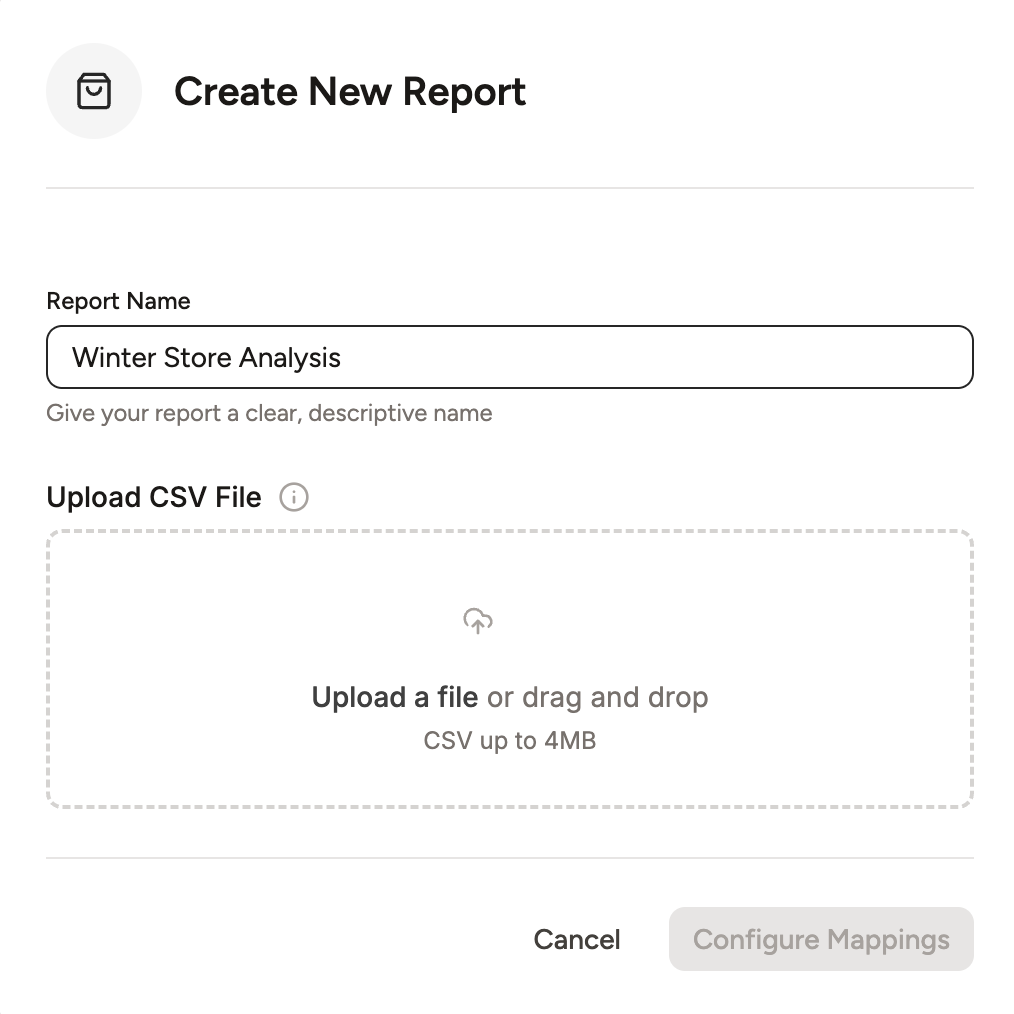
Step 1: Name Your Report & Upload Your File
First, give your report a clear, descriptive name (e.g., "Q3 Sales Analysis"). Then, upload the CSV file you just exported from your store.
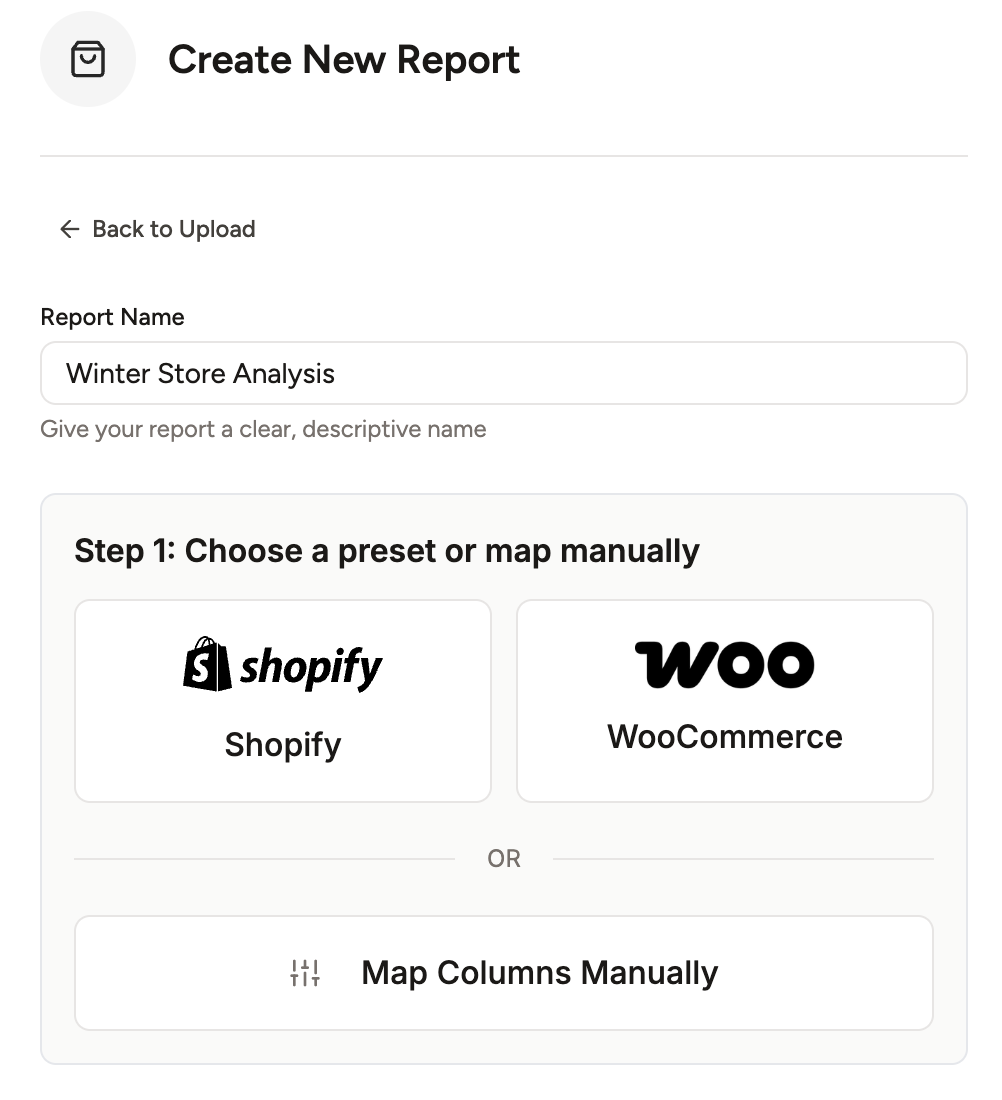
Step 2: Choose Your Mapping Method
This is where you tell our AI what each column in your file means. You have two choices:
- Use a Preset: If you used our export guides for Shopify or WooCommerce, select the corresponding preset for automatic mapping.
- Manual Mapping: If you have a custom CSV, you can map the columns manually.
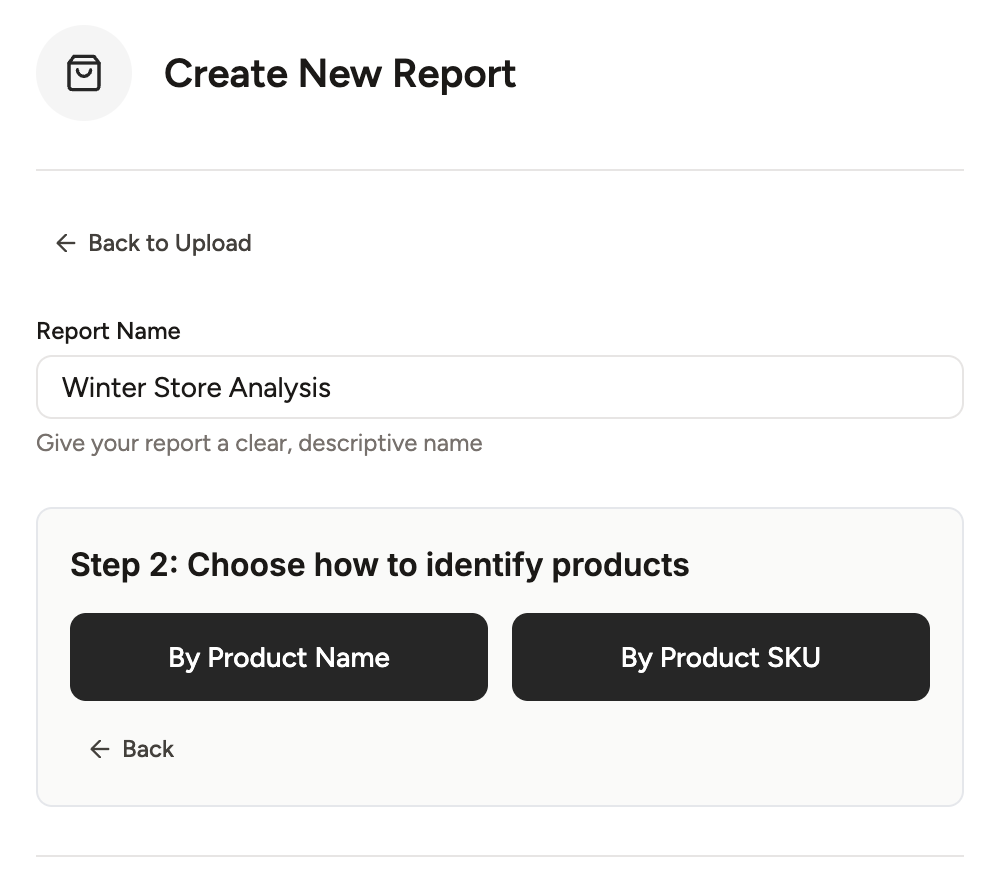
Step 3: Select Your Product Identifier
If you chose a preset, you now decide how to identify your products.
- By Product Name: Analyzes relationships based on the product titles in your orders.
- By Product SKU: Analyzes relationships based on unique SKUs. This is often more accurate if you have product variants.
Step 4: Define Your Analysis Scope
Finally, choose how you want to group the transactions.
- Basket Level: Analyzes items bought together in a single order. This is best for finding in-cart cross-sell opportunities.
- Customer Level: Groups all of a customer's past orders into one large "basket." This is powerful for finding long-term buying habits and increasing customer lifetime value.
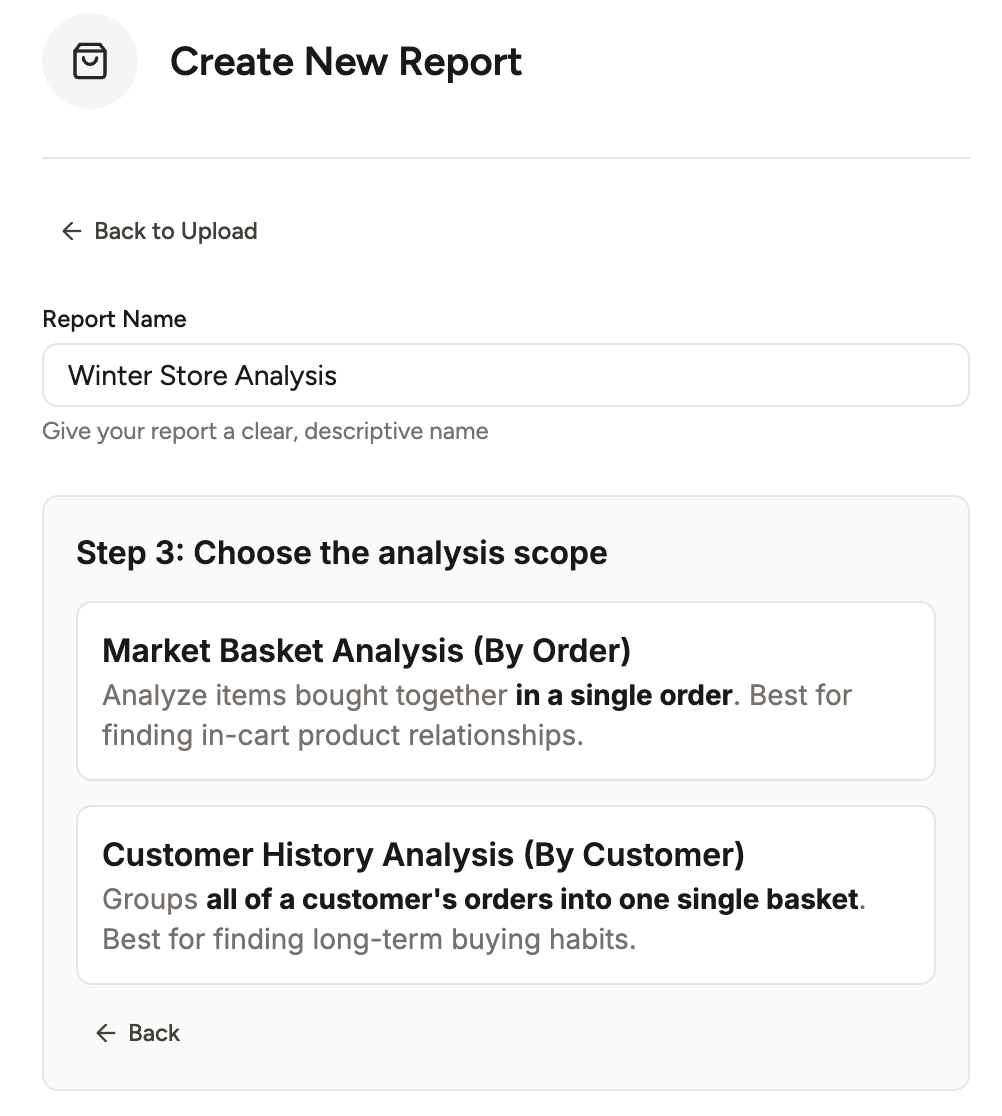
After this step, simply click "Create Report" and let our AI do the work!
Your First Insights: The Freemium Report
In just a few minutes, your free report will be ready. It’s designed to provide tangible value from the get-go, giving you a powerful preview of what's possible by showing your top association rules and AI-powered insights.
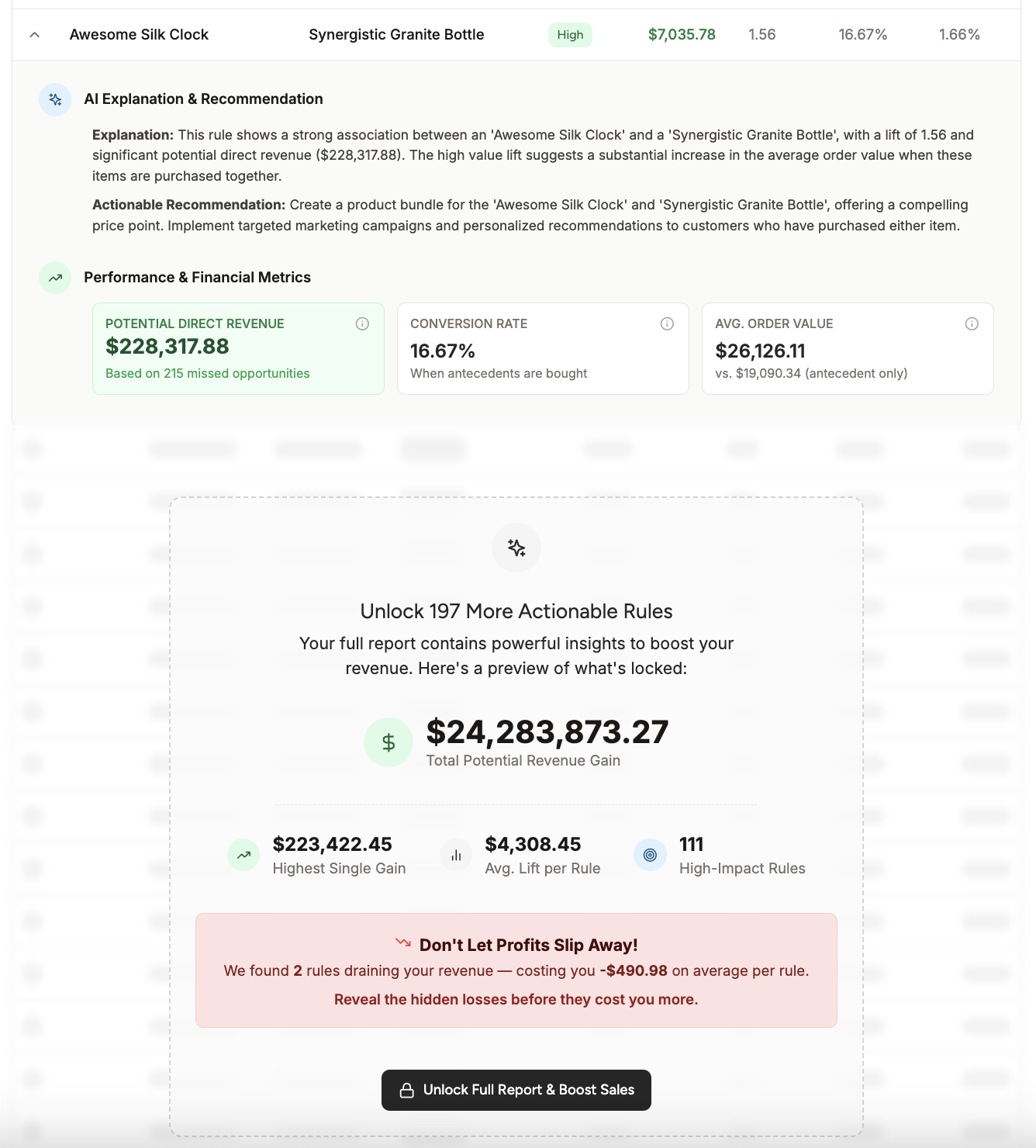
With this report, you can immediately:
- Implement Your First Bundle: Take the top association rule and create a "Frequently Bought Together" section on your product page.
- Refine Your Marketing: Use the insights to create a targeted email campaign featuring a popular product pair.
- Unlock the Full Picture: When you see the potential, you can unlock the full report for a small, one-time fee. This gives you access to hundreds of rules, deeper AI analysis, and the ability to export all your data.
